
Start free — track 100 items, foreverno credit card needed
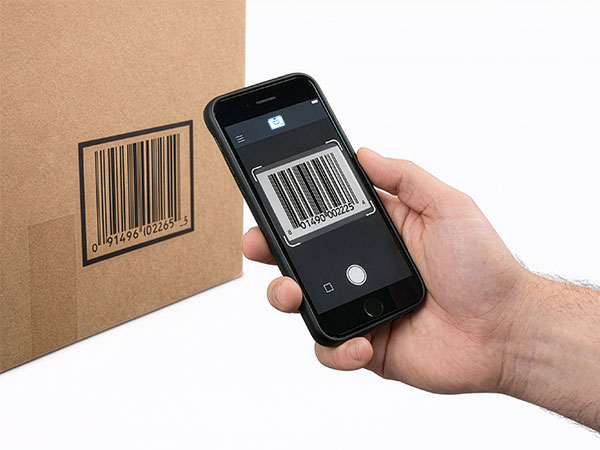
Scanning a barcode with a phone
Scan with your phone

Count, move, and find stock with the camera already in your pocket. Works offline, syncs later.

Try the live demo →
Organized stock on shelves
Switching from Sortly?

Bring folders, photos, and history over in an afternoon — with pricing that stays predictable at renewal.

See pricing →
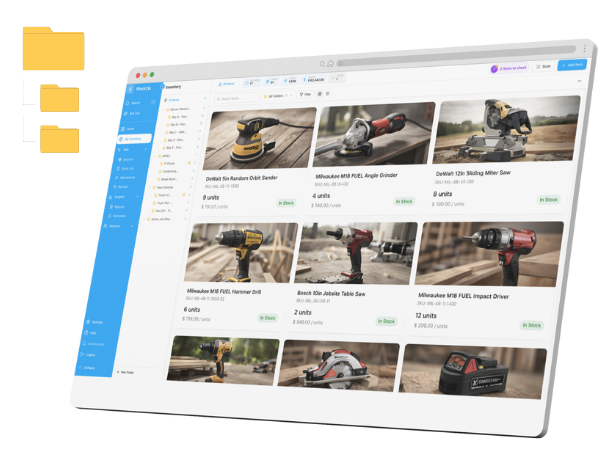
Folder-style inventory list
Free spreadsheet templates

Excel, Google Sheets, and printable count sheets — ready to download, no signup needed.

Get the templates →
Home › Industries › Restaurant

Restaurant inventory management software, from walk-in to bar

StockZip is restaurant inventory management software for the whole back of house — count the walk-in, the dry storage, and the bar on a phone, set a par on every item, and catch a shortage the morning before you 86 it, not the night you do.

Start freeSee pricing

Free forever for 100 items · no credit card · counts the walk-in even with no signal

From the ride-along

A day in the life with StockZip

8:00 AM

Open. The chef scans the QR on the walk-in door and taps through the par list — a dozen items, about six minutes. Three are under par from last night’s service and land on the order list.

11:15 AM

Delivery lands. The line cook scans each case into the dry-storage folder as it goes on the shelf, so the count moves the moment the box does — no clipboard, no “I’ll enter it later.”

2:30 PM

Prep and bar count. The prep cook runs the back-of-house and bar lists, and the dated perishables — cream, fresh fish, produce — get their expiry logged so the oldest stock is the first thing pulled.

4:45 PM

Pre-shift. The bar manager pulls the low-stock view on a phone — two bottles under par, a case of tonic — and preps the reorder before the doors open instead of mid-rush.

9:30 PM

Close. A short-dated case of cream gets written off with a note, and the movement stays on the record — so waste is a number you can see next week, not a guess at month end.

Warehouse → van → job site → return

How the work flows

01 · Tag the storage areas

Walk-in, dry storage, bar, prep line — each is a folder with its own item list and its own QR code on the door. Load your existing sheet in by CSV and you are counting the same afternoon.

02 · Count on a phone

The team scans the QR on each area and counts what is inside — tap a row, type the number, move on. The first count sets baselines; every count after overwrites the quantity and feeds the low-stock view.

03 · Set a par on every item

Give each item a minimum — half a pan of demi-glace, three bottles of Campari, two cases of San Pellegrino. Anything at or below its par surfaces in low-stock so the order is built before service, not after the 86.

04 · Order and receive from suppliers

Turn the shortlist into a purchase order to your vendor, then scan the delivery in against it so what was ordered, what arrived, and what is on the shelf all reconcile on one record.

Frequently asked questions

Is StockZip restaurant inventory management software for one spot or a group?
Both. A single bistro and a small group run on the same product — each restaurant, walk-in, bar, and dry-storage area is a folder, so a one-location kitchen and a three-location group both see current stock without spreadsheets. You start with one location and add more when you need them.
How do servers and prep cooks run a count on their phone?
They scan the QR on each storage area and count what is inside — tap a row, type the number, done. A full bar takes one person 30–45 minutes after the first baseline count; a kitchen prep count is 10–15. Stock counts are part of the paid plans, starting on Starter — see pricing for the tier.
Can I track expiry dates on perishables?
Yes. Lot and expiry tracking keeps a date and movement history on dated stock — cream, fresh fish, produce — so the oldest gets pulled first and short-dated items are flagged before they turn. Lot and expiry tracking is on the Pro plan and up; the Free and Starter plans track quantities and par levels, not expiry dates — see pricing for the tier.
Can I set par levels and low-stock alerts for food and bar stock?
Set a minimum (par) on any item, and a different par per location so the bar and the kitchen each stay stocked. Items at or below par surface in low-stock views. Setting a par is available on every plan; the Low Stock report and reorder-suggestion tasks are part of the paid plans — see pricing for the tier.
Does it handle supplier orders?
Yes. Build a purchase order from your low-stock shortlist, send it to the vendor, and scan the delivery in against it so ordered-vs-received reconciles on one record. Purchase orders and receiving are on the Pro plan and up — see pricing for the tier.
Does it still work when the walk-in has no signal?
Yes. StockZip is offline-first, so a count in a cold walk-in or a basement dry-store keeps working with no bars — every scan and adjustment syncs automatically once the phone is back in range.
Free template

Free restaurant inventory spreadsheet

Not ready to set up an app yet? Start with the free inventory spreadsheet — a walk-in and bar count sheet you can fill in today and import into StockZip later.

Get the template

Keep exploring

All industries →

Get every van stocked in an afternoon

Free for 100 items, no credit card, and your signup price is your renewal price.

Start freeSee pricing
Free for 100 items
No credit card
Start free