
Early Access: Get 3 Months Free β€” Limited SpotsJoin now
Feature

Offline Inventory App That Never Stops Working

Warehouses, basements, and jobsites do not always have signal. StockZip is designed for real conditions β€” scan and update inventory offline, then sync when you reconnect.

Wi-Fi dead zones kill productivity

Your receiving dock has no signal. The back corner of the warehouse drops connection. Your field team works in basements. Every time the app says "connecting..." your team stops working. Cloud-only inventory apps were not built for real warehouse conditions.

Full Functionality Without Internet

Not a stripped-down offline mode. Nearly every feature works without connection.

Barcode Scanning

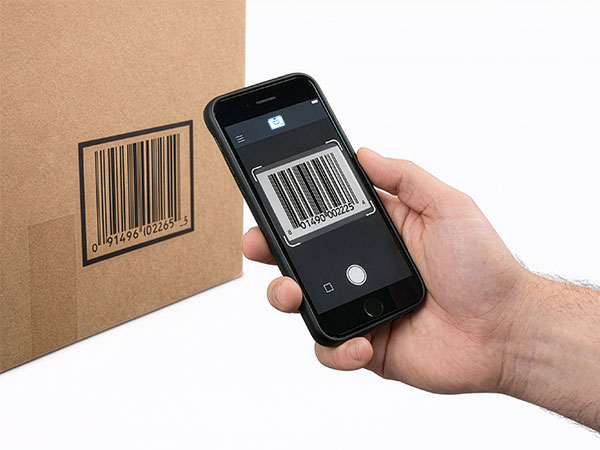
Scan any barcode or QR code to pull up item details instantly. Full catalog cached locally.

Item Lookup

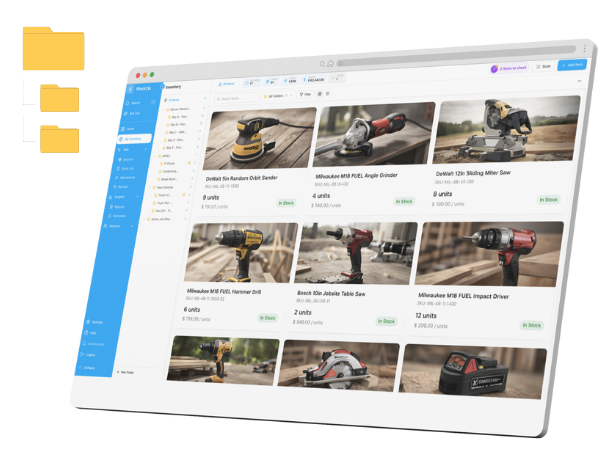
Search by name, SKU, or custom fields. Browse locations and categories. All data available offline.

Quantity Adjustments

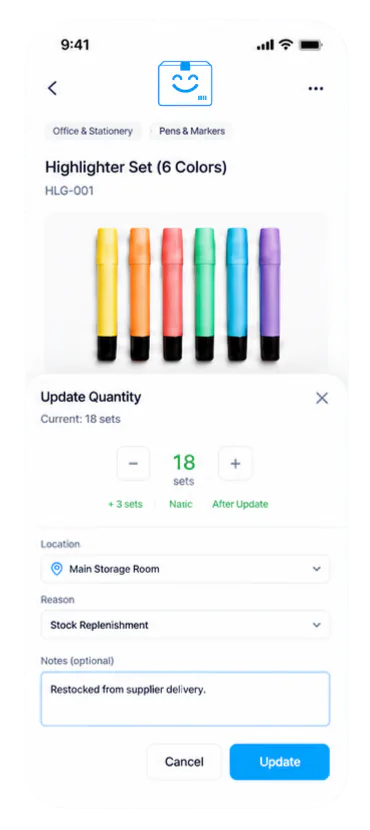
Add, remove, or adjust stock levels. Changes queue up and sync when you reconnect.

Location Moves

Move items between locations, bins, or warehouses. Location hierarchy cached for navigation.

Check-In / Check-Out

Track asset assignments offline. Record who took what and when, sync custody chain later.

Photos & Notes

Attach photos and notes to items offline. Document conditions, damage, or special handling.

Smart Sync You Can Trust

When your device reconnects, StockZip syncs all pending changes automatically. Work continues in the background β€” no waiting, no interruption.

Timestamp Ordering

Every change is timestamped. Sync applies changes in the correct order, even across multiple offline sessions.

Conflict Resolution

When two users edit the same item offline, StockZip merges changes intelligently and flags anything that needs review.

Complete Audit Trail

Every offline action is logged with user, timestamp, and device. Your audit trail stays accurate even with intermittent connectivity.

Sync Status Dashboard

Quantity adjustments
12 synced
Location moves
5 synced
Photo uploads
3 pending
Conflicts to review
1 flagged

Built for Real-World Conditions

StockZip shines where other apps fail. Designed for the places where connectivity is unreliable.

Warehouses

Deep racking, metal shelving, and concrete walls block signals. Keep scanning in every aisle.

Receiving Docks

Verify shipments at the dock door, even when the dock is a connectivity dead zone.

Field Teams

Jobsites, customer locations, and remote areas. Work offline, sync at the office.

Back Rooms

Basements, storage rooms, and closets. No signal required for inventory control.

Offline Data, Enterprise Security

Your inventory data is protected even when stored locally on devices.

Device Encryption

All cached data is encrypted using AES-256. Protected even if device is lost or stolen.

Remote Wipe

Admin dashboard lets you remotely clear cached data from any device instantly.

Biometric Lock

Require Face ID, Touch ID, or PIN to access the app. Extra protection for sensitive inventory.

Never lose productivity to dead zones again

  • Full scanning offline
  • Quantity adjustments work offline
  • Smart conflict resolution
  • Encrypted local storage
  • Automatic background sync
  • Complete audit trail
  • 14-day free trial
  • No credit card required

Frequently Asked Questions About Offline Mode

Everything you need to know about offline inventory management in StockZip.

Almost everything works offline: barcode scanning, item lookup, quantity adjustments, location moves, check-in/check-out, and adding notes or photos. The only features requiring connectivity are real-time collaboration updates and syncing with external integrations.

When your device reconnects, StockZip automatically syncs all pending changes in the background. You can continue working while sync happens. Each change includes a timestamp so the audit trail remains accurate even across multiple offline sessions.

StockZip uses smart conflict resolution. For quantity changes, we apply changes in timestamp order. For other fields, the most recent change wins. Conflicts are flagged in the activity log so you can review and correct if needed.

Your full item catalog is cached locally, including photos and custom fields. Storage usage depends on your catalog size β€” typically 50-500MB. You can configure which locations to cache if you need to limit storage usage.

Yes! Offline mode works on iOS and Android phones and tablets. The StockZip mobile app is designed for offline-first operation, so the experience is identical whether you have signal or not.

Each team member can work offline independently. When devices reconnect, changes from all users sync and merge. StockZip handles the complexity of multi-user offline sync automatically.

There is no time limit for offline work. You can accumulate days or weeks of changes if needed. However, we recommend syncing regularly to keep your team coordinated and to back up your data.

Yes. All offline data is encrypted on your device using industry-standard encryption. If your device is lost or stolen, your inventory data remains protected. You can also remotely wipe cached data from the admin dashboard.

Work Anywhere, Sync Everywhere

Download StockZip and experience true offline-first inventory management. No connectivity anxiety.