
Start free — track 100 items, foreverno credit card needed
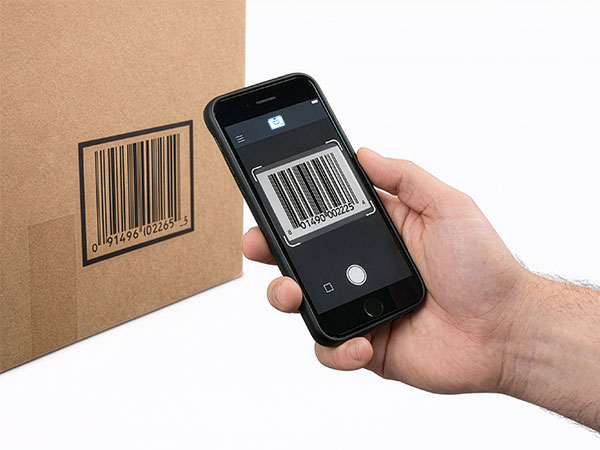
Scanning a barcode with a phone
Scan with your phone

Count, move, and find stock with the camera already in your pocket. Works offline, syncs later.

Try the live demo →
Organized stock on shelves
Switching from Sortly?

Bring folders, photos, and history over in an afternoon — with pricing that stays predictable at renewal.

See pricing →
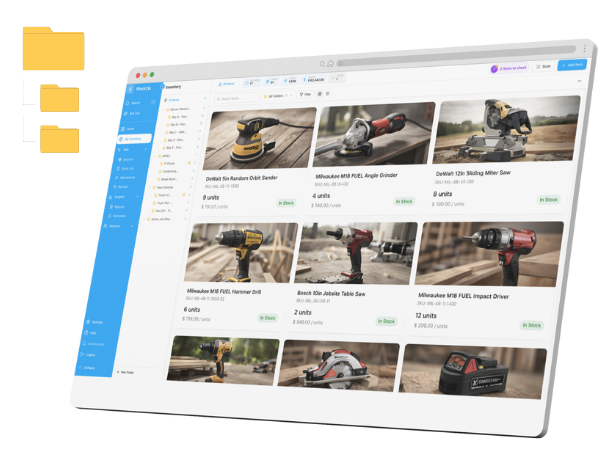
Folder-style inventory list
Free spreadsheet templates

Excel, Google Sheets, and printable count sheets — ready to download, no signup needed.

Get the templates →
Home › Industries › Medical

Medical inventory management software for clinics and practices

StockZip is medical inventory management software for supplies, consumables, and devices — track lot numbers and expiry, keep par levels across every location, and know who counted what. It gives a small practice the hospital inventory management basics without an enterprise WMS: what is on the shelf, when it expires, and where it went.

Start freeSee pricing

Free forever for 100 items · no credit card · inventory data only, never patient records

From the ride-along

A day in the life with StockZip

7:45 AM

Open the storeroom. The supply lead scans the QR on the cabinet and the morning view shows two lots inside the 30-day expiry window — a box of lidocaine, a pack of test strips — and three items below par.

9:10 AM

Delivery arrives. Each box is scanned into the supply-room folder with its lot and expiry captured at receive — not “sometime later this week” — so the record is right before it hits the shelf.

11:00 AM

Cross-clinic check. The downtown manager sees on the shared view that the east-side site just received a case of 25-gauge needles, and requests a transfer instead of sending a tech across town.

1:30 PM

FEFO pull. A tech pulls consumables and StockZip surfaces the soonest-to-expire lot first, so the oldest stock leaves the shelf before it turns and short-dated boxes are flagged.

4:00 PM

Reviewer asks. A movement report for one lot between January and March exports as a filtered PDF in under a minute — from the timestamped record, not a spiral notebook.

Warehouse → van → job site → return

How the work flows

01 · Label the storerooms

Each storeroom, cabinet, and supply closet is a folder with a QR code on the door. Print, stick, and load your existing item list by CSV — every room becomes a tracked location with its own count.

02 · Scan items in with lot and expiry

When deliveries land, the team scans each box and captures the lot number and expiry date at receive — about 5–10 seconds an item — so dated consumables carry their expiry from the moment they arrive.

03 · Set expiry windows and pars

Choose an alert window — 30, 60, or 90 days before expiry — and a par level per item. Soon-to-expire lots surface first under FEFO, and anything below par lands in the low-stock view for the supply lead.

04 · See every site on one view

A multi-clinic group works from one shared view of stock, low-stock, and expiring lots — the basics of hospital inventory management scaled to a practice. Transfers between sites are requested, approved, and logged with who and when.

Frequently asked questions

Is StockZip medical inventory management software for one clinic or several?
Both. Each storeroom, cabinet, and clinic is a folder, so a single practice and a multi-site group both see current stock, low-stock, and expiring lots from one view. You start with one location and add more as you grow.
Does StockZip store patient data?
No. StockZip stores inventory data only — SKU, quantity, location, lot, expiry, and who counted what and when. Patient health information is out of scope, and StockZip is an inventory tracker for clinics and practices, not a regulated medical-device or compliance system.
Can I track lot numbers and expiration dates on supplies?
Yes. Lot and expiry tracking keeps a lot number, expiry date, and movement history on each item, with first-expiry-first-out so the oldest stock is pulled first and short-dated boxes are flagged. Lot and expiry tracking is on the Pro plan and up; the Free and Starter plans track quantities and par levels, not expiry dates — see pricing for the tier.
How do I handle devices versus consumables?
Consumables — gloves, syringes, gauze, test strips — track by quantity, lot, and expiry. Reusable devices — scopes, pumps, analyzers — track by serial number with their own fields for service history. Serial tracking, like lot and expiry, is on the Pro plan and up — see pricing for the tier.
Can I pull a movement report for a review?
Yes. Every count, adjustment, and transfer is timestamped against the user who made it, and the movement log exports as a filtered PDF or CSV by date range, location, lot, or item. The filterable audit-log report is part of the paid plans, starting on Starter — see pricing for the tier.
Does it work across multiple clinic locations?
Yes. Each clinic is a folder, so a group practice sees stock at every site from one shared view. Transfers between sites are requested, approved, and logged with who moved what and when, so the trail stays intact.
Free template

Free medical supply inventory spreadsheet

Not ready to set up an app yet? Start with the free inventory spreadsheet — a storeroom count sheet with lot and expiry columns you can fill in today and import into StockZip later.

Get the template

Keep exploring

All industries →

Get every van stocked in an afternoon

Free for 100 items, no credit card, and your signup price is your renewal price.

Start freeSee pricing
Free for 100 items
No credit card
Start free