

Free cycle count sheet template — printable inventory count sheet
A working cycle count sheet for physical inventory: record what the system expects, what you actually count, and the variance between them. Print it for the clipboard or fill it in on screen. No email, no watermark.
Free · no email required · print or fill in · updated July 2026
The printable cycle count sheet
This is the whole template — right here on the page, free and un-gated. Print it for a physical count, or use the field guide below to rebuild it in any spreadsheet. No download, no email, nothing to unzip.
- ✓Expected, counted and variance columns — not just a stock list
- ✓Counted-by, verified-by, date and location header for audits
- ✓Blank rows sized to write in with a pencil on a clipboard
What goes on the count sheet
Eight fields capture everything an accurate physical inventory count needs — the variance column is what turns a plain stock list into a real cycle count sheet.
| Field | What it captures | Example |
|---|---|---|
| Location | Where the count is being performed | Aisle 3, Shelf B |
| Item name / SKU | The item being counted | Widget A (WGT-001) |
| Expected quantity | What the system says should be there | 50 |
| Counted quantity | What you physically count | 48 |
| Variance | Counted minus expected | -2 |
| Counter | Who performed the count (accountability) | John D. |
| Date / time | When the count was performed | 2026-07-02 14:30 |
| Notes | Reason for variance or other observations | 2 units damaged |
Cycle count scheduling strategies
Cycle counting spreads the work across the year instead of one shutdown. Pick the schedule that fits how your stock moves.
ABC analysis
Count A-items weekly, B-items monthly, C-items quarterly by value and velocity.
Zone rotation
Count one zone, aisle or bin each day until every location is covered, then repeat.
Random sampling
Pick items at random each period to keep counts honest and unpredictable.
High-velocity focus
Count your fastest-moving SKUs more often — that is where errors compound.
Common cycle count mistakes
How to use these templates
Template questions
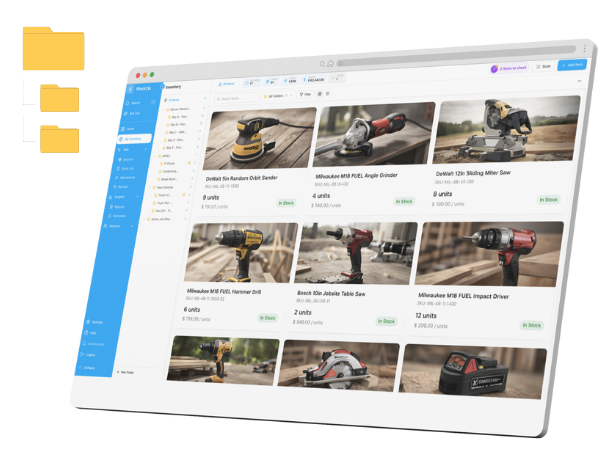
Skip the paper — scan to count in StockZip
StockZip has a built-in cycle count workflow: scan an item to count it, see expected vs actual as you go, and flag variances automatically. It works offline in the warehouse and keeps a full audit trail of every adjustment — free for your first 100 items.