
Low-stock alerts that catch it before the job site does
The usual story: you find out you are out of anchors when the crew is already on the ladder. Set a minimum once and StockZip flags the item the moment a count crosses it — so you reorder before the shelf is empty, not after.
Free forever for 100 items · no credit card · works offline in the stockroom

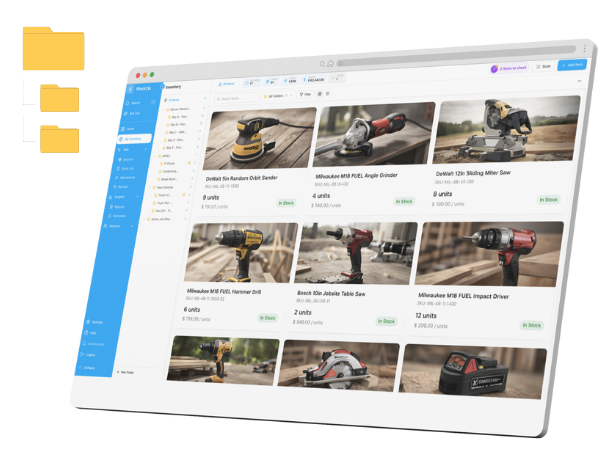
Every item card shows its on-hand count and stock status — so what is running low is obvious at a glance, not buried in a spreadsheet.
How it works
Add a minimum stock level per item — one at a time, or for hundreds of items at once from the list view. That threshold is your reorder point.
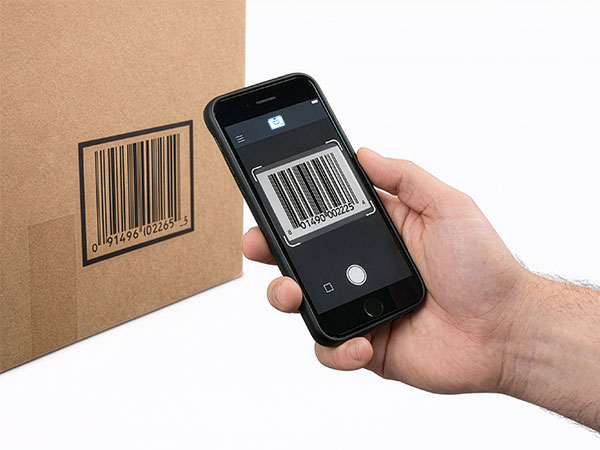
Every scan, add, remove, or count adjusts the on-hand number — on the phone in your pocket, and offline in the stockroom, syncing when you are back on signal.
Once a count reaches the minimum, the item drops into your low-stock views and reorder suggestions, so whoever does the buying sees it before the peg hook is bare.
Everything you need in one place
Keep attention on the items at or below their minimum instead of scrolling the whole catalogue to find what needs a reorder.
If your stock is organised by location, review where an item is short so the right team responds — not just that a total is low somewhere.
A purchasing checklist you can export: every item below its reorder point, with its current quantity and the threshold you set.
Set minimums across hundreds of items at once from the list view, so a new catalogue is protected in one pass rather than item by item.
Items that have crossed their minimum are gathered into reorder suggestions, ready to act on before shortages interrupt the day.
Current quantity sits next to the threshold you set, so you can tell at a glance what needs ordering first and how far under it is.
Frequently asked questions
Set up your inventory in an afternoon
Free for 100 items, no credit card, and your signup price is your renewal price.