
Features
Inventory management features for small business teams
StockZip keeps inventory accurate without slowing down the floor. Scan or find an item, choose the action, and the app records the movement. Explore every feature below.
Free forever for 100 items · no credit card
Scan-first inventory features
The daily habit is easy to remember: scan, check in or out, done. These are the tools teams use to keep stock current on the floor, in the van, or on the jobsite.
Barcode scanning
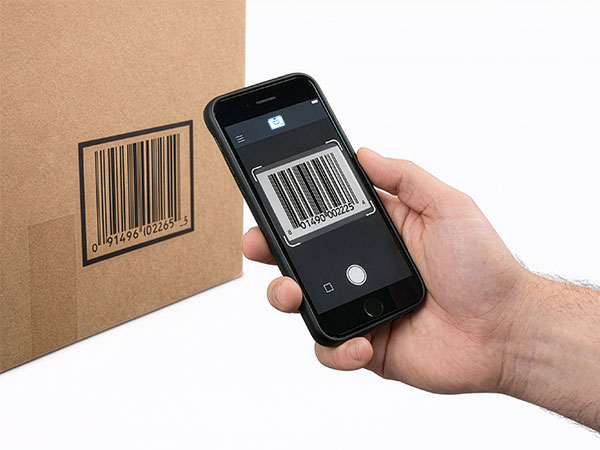
Find and update items with a phone camera, Bluetooth scanner, USB scanner, or rugged hardware scanner input.
Barcode scanner inventory software
Turn any phone into a barcode scanner for inventory — no dedicated hardware required to get started.
Barcode & QR tracking
Identify inventory, tools, and equipment with barcode or QR labels tied to their item records.
Offline mobile scanning
Look up cached items and queue supported updates when the connection drops. Changes sync when you reconnect.
Check-in / check-out
Track custody by recording who has an item, when it left, and when it came back.
Tool checkout system
Assign tools and equipment to people, crews, jobsites, or vans with a scan-based custody record.
Low-stock alerts
Set minimum quantities and spot items that need attention before they become a stockout.
Manage and scale your catalog
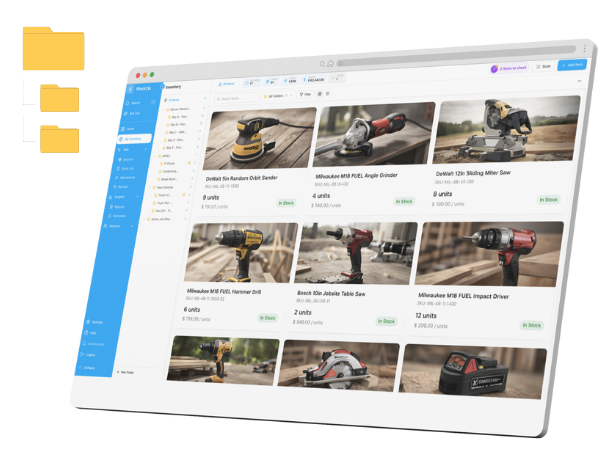
Import your existing list, clean it up in bulk, print labels, and control who can touch what as your team grows.
CSV import / export
Bulk import from spreadsheets with guided field mapping. Export your data anytime.
Bulk editing
Move, tag, or delete selected inventory faster than editing one item at a time.
Asset tags & labels
Generate and print QR and barcode labels for the inventory already in StockZip.
Team roles & permissions
Control who can view, edit, or manage inventory with roles. Multi-user starts on the Starter plan.
Order workflow
Purchase order → receive → pick list → delivery → invoice, with stock updated automatically. Available on the Pro plan.
Invoicing & accounting
Turn a sales order into an invoice in one tap, so inventory and invoicing stay in sync. Invoicing is on the Pro plan.
Frequently asked questions
What barcode scanners work with StockZip?
StockZip supports three scanning methods: (1) your phone camera for 1D barcodes and QR codes, (2) Bluetooth barcode scanners for faster high-volume scanning, and (3) rugged Android devices with built-in hardware scanners like Zebra or Honeywell.
Does StockZip work offline?
StockZip supports offline item lookup, scan sessions, and queued supported updates when signal drops. Changes sync when the device reconnects, so teams can keep recording inventory work in stockrooms, vans, and jobsites with unreliable connectivity.
What is check-in / check-out?
Check-in / check-out is the simple scan flow for items that move. Scan the item, choose Check Out when it leaves, and choose Check In when it comes back. StockZip records who has it and when it moved.
Can I import my existing inventory?
Yes. Import via CSV with field mapping. StockZip guides you through matching your columns to our fields so your existing inventory list becomes a scan-ready catalog.
How do low-stock alerts work?
Set a minimum stock level (reorder point) for any item. When quantity drops below that threshold you get notified via email or in-app alert, and you can see all low-stock items in a single report.
Which plan do I need for these features?
Core scanning, folders, low-stock visibility, CSV import, and label printing are available on the Free plan. Check-in / check-out and team roles start on the Starter plan. The full order workflow — purchase orders, receiving, pick lists, delivery orders, and invoices — is on the Pro plan.
See these features in action
Start free, import your inventory, and start scanning today. Your signup price is your renewal price — no surprises.
Free for 100 items
No credit card