
Start free — track 100 items, foreverno credit card needed
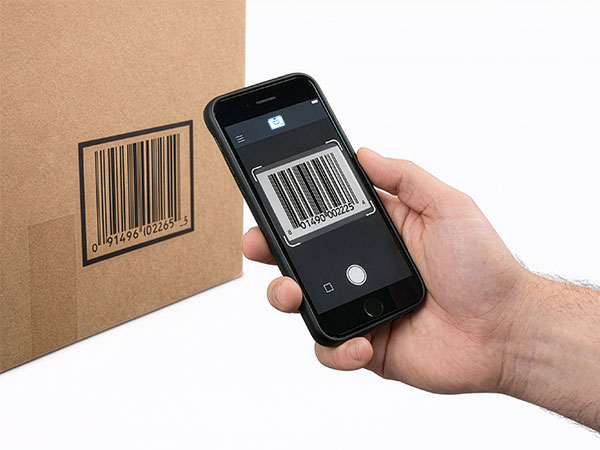
Scanning a barcode with a phone
Scan with your phone

Count, move, and find stock with the camera already in your pocket. Works offline, syncs later.

Try the live demo →
Organized stock on shelves
Switching from Sortly?

Bring folders, photos, and history over in an afternoon — with pricing that stays predictable at renewal.

See pricing →
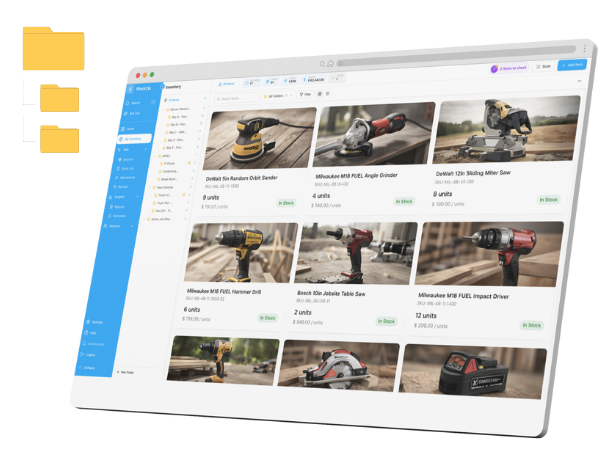
Folder-style inventory list
Free spreadsheet templates

Excel, Google Sheets, and printable count sheets — ready to download, no signup needed.

Get the templates →
Home › Industries › Field service

Field service inventory management, from van to job site

StockZip is field service inventory management for the parts and tools that live in trucks — scan stock onto each van, check tools out to the tech who took them, and update from a job site with no signal. The office sees what every van is carrying without a single phone call.

Start freeSee pricing

Free forever for 100 items · no credit card · scans on the job site with no signal

From the ride-along

A day in the life with StockZip

6:30 AM

Load out. The tech scans parts and a job kit off the warehouse shelf onto Truck 3 — the counts move from the warehouse folder onto the van as they go, so dispatch sees the real load, not a guess.

8:15 AM

Tools out. A meter and a specialty puller are checked out to the tech for the day, so if they do not come back the record shows who had them and when.

11:40 AM

On site, no signal. A part comes out of the van in a basement mechanical room. The tech logs it offline and StockZip syncs the change automatically back at the curb.

2:20 PM

Restock alert. Truck 3 drops below its minimum on a fast-moving fitting, so the item surfaces in low-stock and the office builds the restock before the next call.

5:00 PM

Back to the yard. Tools are checked back in by scan and the van is reconciled — so tomorrow’s first job starts stocked instead of short.

Warehouse → van → job site → return

How the work flows

01 · Warehouse

The shop is a folder with shelves and bins under it. Restock by scanning parts in, and set a minimum on the fast movers so shortages surface before a tech is standing empty-handed at a customer’s door.

02 · Onto the van

Each truck is its own folder. Scanning parts from the shelf onto a van moves the counts with them, so dispatch can see what every tech is actually carrying without a handwritten list or a radio call.

03 · On the job site

Techs use parts and check tools out as the work happens — offline in a basement or a rooftop unit with no signal. The stock record updates the moment the part moves and syncs when the phone is back in range.

04 · Back to the yard

Checked-out tools come back in by scan with a who-had-it trail, and each van is reconciled against its counts — so a missing meter has a record instead of a shrug, and every truck starts the next day ready.

Frequently asked questions

What is the best field service inventory management app for a small team?
StockZip is built for small field service teams that track parts and tools across vans, job sites, and a warehouse. Each van is a folder, techs scan parts as they use them, and everything works offline — so the office knows what every truck is carrying without calling around.
How do I track parts across service vans?
Create a folder for each van and one for the warehouse. Techs scan parts as they use them on a call, and warehouse staff scan when restocking a van, so you see the stock on each truck without manual counts or spreadsheets.
Can I track which tech has a tool?
Yes. Check reusable tools — meters, pullers, specialty gear — out to a tech or a van, and check them back in when they return. StockZip logs who had each tool and when, so a missing tool has an audit trail. Tool check-in / check-out is on the Starter plan and up — see pricing for the tier.
Can technicians update stock without internet?
Yes. StockZip is offline-first, so techs scan tools, use parts, and update stock in basements, crawl spaces, and dead zones with no signal. Every change syncs automatically once the device reconnects.
Can I set low-stock alerts for van parts?
Set a minimum on any part, and a different minimum per van and for the warehouse. Items at or below their minimum surface in low-stock views. Setting a minimum is available on every plan; the Low Stock report and reorder-suggestion tasks are part of the paid plans — see pricing for the tier.
Can a tech see only their own van?
Yes. StockZip has role-based access and you can scope what a staff member sees to their locations, so a tech works from their own van folder rather than the whole company catalogue, while managers see every truck.
Free template

Free field service inventory spreadsheet

Not ready to set up an app yet? Start with the free inventory spreadsheet — a van-and-warehouse count sheet you can fill in today and import into StockZip later.

Get the template

Keep exploring

All industries →

Get every van stocked in an afternoon

Free for 100 items, no credit card, and your signup price is your renewal price.

Start freeSee pricing
Free for 100 items
No credit card
Start free