

Start free — track 100 items, foreverno credit card needed
Scanning a barcode with a phone
Scan with your phone

Count, move, and find stock with the camera already in your pocket. Works offline, syncs later.

Try the live demo →
Organized stock on shelves
Switching from Sortly?

Bring folders, photos, and history over in an afternoon — with pricing that stays predictable at renewal.

See pricing →
Folder-style inventory list
Free spreadsheet templates

Excel, Google Sheets, and printable count sheets — ready to download, no signup needed.

Get the templates →
Home › Features › Team roles & permissions

Multi-user inventory software with roles and permissions

When the whole team shares one login, nobody moved the missing tool. Give each person their own account and the access their job needs — Owner, Admin, Editor, or Viewer — and every scan, adjustment, and check-out is attributed to them automatically. Multi-user starts on the Starter plan.

Start freeSee user limits by plan

Free forever for 100 items · no credit card · multi-user from Starter
stockzip.app
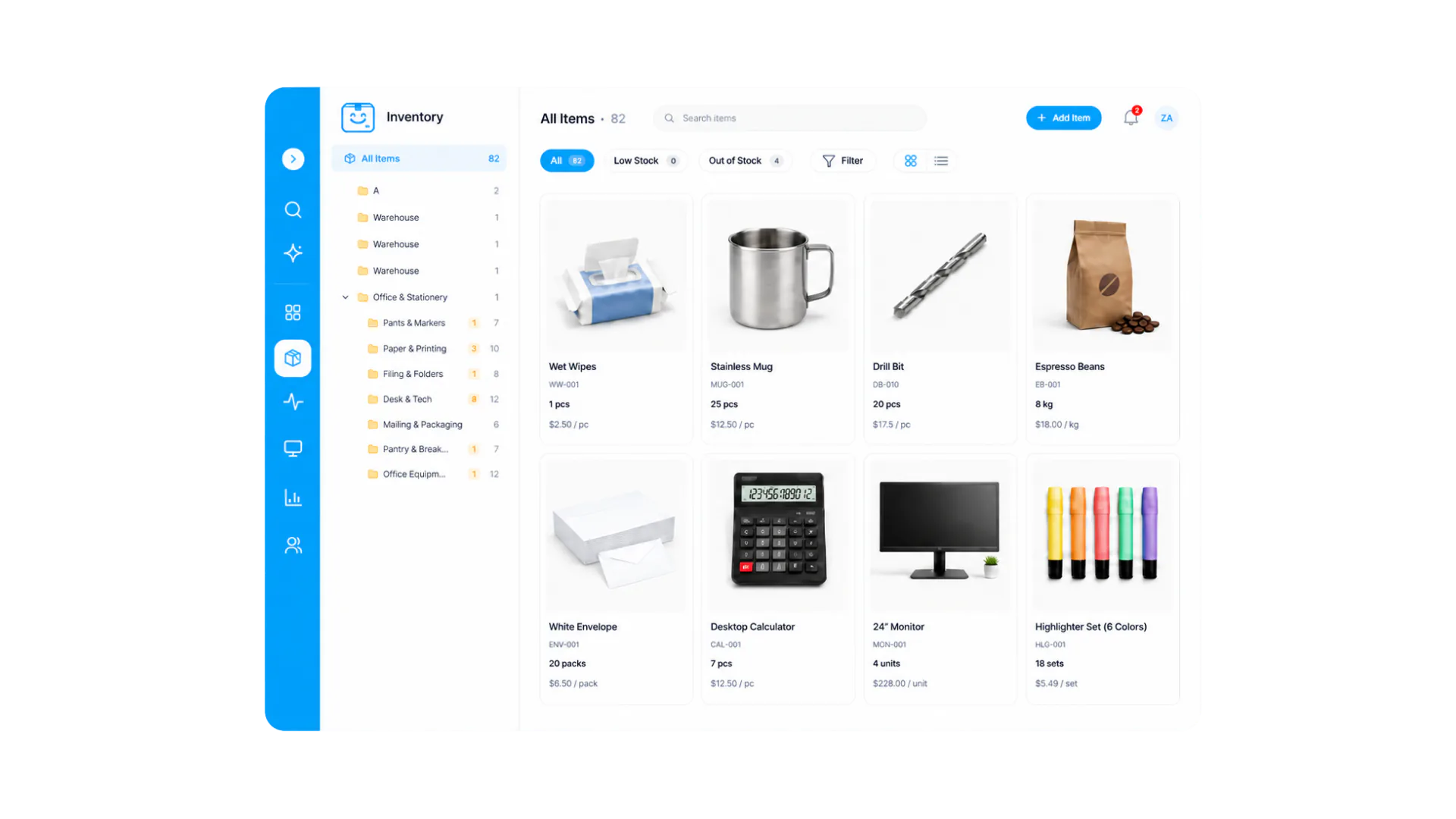
StockZip inventory dashboard the whole team shares, with each member’s access scoped to their role

Everyone works from the same inventory, but what each person can change — and whether they see costs — follows their role and permissions.

Three steps, no setup project

How it works

01 · Invite your team

Send email invites from Settings → Team. Each person gets their own login on web and mobile, so their work is attributed to them and never to a shared account.

02 · Assign a role, then tune permissions

Pick Owner, Admin, Editor, or Viewer to match what each person actually does, then set the granular switches on top — whether staff can delete items or edit sell prices, and who sees purchase costs and margins.

03 · Let the audit trail work

From the first scan, every action is recorded against a person, on web and mobile alike. Accountability becomes automatic instead of a policy memo — and when someone leaves, removing them ends access immediately while their history stays.

Everything you need in one place

Four roles that map to real jobs

Owner runs billing and the account, Admin manages inventory and team, Editor does the day-to-day stock work, Viewer looks things up read-only. No inventing custom roles to get sensible defaults.

Granular permissions on top

Beyond roles, specific switches control whether staff can delete items or edit sell prices — so you can tighten one action without demoting a whole person.

Hide costs and margins from staff

Cost visibility is its own control: warehouse staff keep full scanning and counting ability while purchase costs and margins stay visible only to the people who negotiate with suppliers.

A per-user audit trail

Every scan, adjustment, check-out, and document action records who did it and when. When a count looks wrong, the answer is in the history — not in anyone’s memory.

Enforced on the server, even offline

Permissions are enforced server-side, not just hidden in the interface, so offline-queued changes are held to the same rules when they sync. A viewer cannot edit their way around the UI.

Clean offboarding

Remove someone from Settings → Team and their access ends immediately, including on their phone. Their past actions stay attributed to them, and anything they had checked out stays visible so you can chase returns.

Frequently asked questions

What roles and permissions does StockZip support?
Four working roles: Owner (full control including billing), Admin (manage inventory, team, and settings), Editor (day-to-day stock work — scan, adjust, check in/out, documents), and Viewer (read-only lookup). On top of roles, granular permissions control specific actions — whether staff can delete items or edit sell prices, and who sees purchase costs and margins — so you can tune access without inventing new roles.
Which plan do multi-user roles and permissions start on?
Roles and permissions live wherever there is more than one user, and multi-user starts on the Starter plan, which includes 3 users. The Free plan is a single user, so it has no team roles to assign. Pro includes 8 users and Ultra is unlimited (fair use). See the pricing page for the current per-plan user limits.
Can I hide costs and prices from some staff?
Yes. Cost visibility is a separate control from roles: you can hide purchase costs and margins from staff and viewer accounts while they keep full scanning and counting ability. Warehouse staff see quantities and locations; only the people who negotiate with suppliers see what things cost. Sell-price editing is its own permission too.
Does every user need their own account?
Yes, and that is the point. The audit trail records who did every scan, adjustment, check-out, and document action, so shared logins destroy accountability — when everyone is "warehouse1", nobody moved that missing tool. Individual accounts keep every record attributed to a real person.
How do permissions behave on the mobile app?
Identically to the web. A viewer sees lookup and search but no edit buttons; an editor scans and adjusts but cannot touch team settings or billing; cost-hidden staff never see purchase prices on any screen. Permissions are enforced on the server, so even offline-queued changes are held to the same rules when they sync.

Keep exploring

All features →

Set up your inventory in an afternoon

Free for 100 items, no credit card, and your signup price is your renewal price.

Start freeSee pricing
Free for 100 items
No credit card
Start free