
Start free — track 100 items, foreverno credit card needed
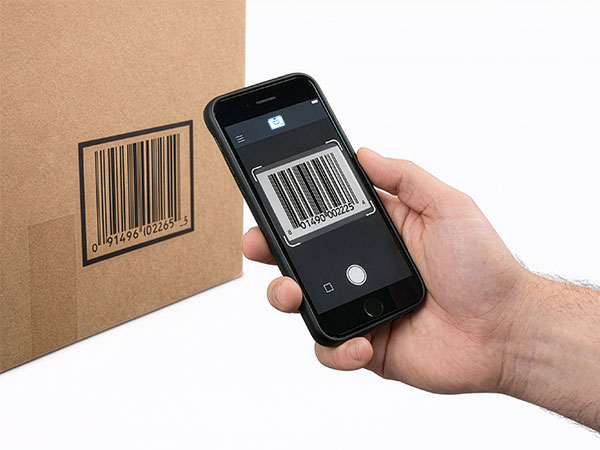
Scanning a barcode with a phone
Scan with your phone

Count, move, and find stock with the camera already in your pocket. Works offline, syncs later.

Try the live demo →
Organized stock on shelves
Switching from Sortly?

Bring folders, photos, and history over in an afternoon — with pricing that stays predictable at renewal.

See pricing →
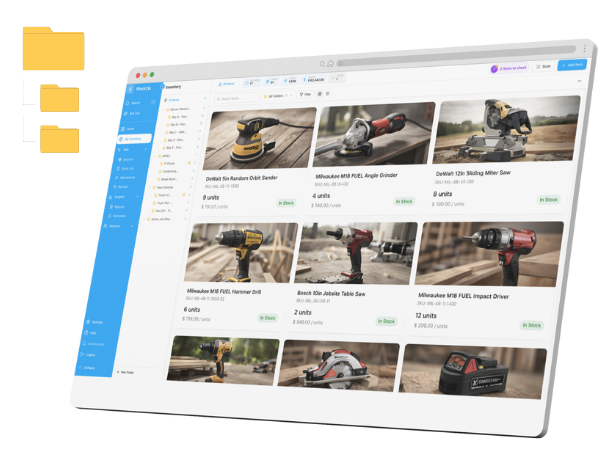
Folder-style inventory list
Free spreadsheet templates

Excel, Google Sheets, and printable count sheets — ready to download, no signup needed.

Get the templates →
Home › Industries › Construction

Construction inventory software, from the yard to every job site

StockZip is construction inventory software for the tools and materials that move across your yard, your trucks, and several live job sites at once. Crews scan tools out to themselves, materials get counted where they land, and the office sees every site without a windshield tour — even where there is no signal.

Start freeSee pricing

Free forever for 100 items · no credit card · scans on the job site with no signal

From the ride-along

A day in the life with StockZip

6:15 AM

Load out at the yard. The crew scans a mix table, two grinders, and a pallet of anchors onto Truck 4 — the counts move from the yard folder onto the truck, so dispatch sees the real load leaving, not a guess.

7:00 AM

Tools out to the crew. High-value gear — a rotary hammer, a laser level, a generator — is checked out to the foreman for the day, so if a tool does not come home the record shows who had it and on which site.

11:10 AM

Delivery drops on site. A bulk order of conduit and fasteners arrives at the west building; the runner scans it straight into that site folder, so the material count reflects what is actually on the ground.

1:45 PM

Low on the fast movers. The east site drops below its minimum on 3/8" anchors, so the item surfaces in low-stock and the office pulls a restock from the yard before the crew is standing empty-handed.

4:50 PM

End-of-day scan. Tools come back to the gang box by scan and the truck is reconciled — so a missing laser level has an audit trail instead of a shouting match, and tomorrow starts stocked.

Warehouse → van → job site → return

How the work flows

01 · Yard & warehouse

The yard is a folder with shelves, racks, and a tool crib under it. Restock consumables by scanning them in, and set a minimum on the materials that stall a crew when they run out — anchors, fasteners, blades, PPE — so shortages surface before the pour, not during it.

02 · Onto trucks & gang boxes

Each truck and gang box is its own folder. Scanning tools and materials from the yard onto a truck moves the counts with them, so you can see what every crew is actually carrying to which site without a handwritten list.

03 · On the job site

Each active site is a folder. Crews check tools out, consume materials, and scan deliveries in as the work happens — offline in a basement, a stairwell, or a fresh slab with no signal. The record updates the moment stock moves and syncs when the phone is back in range.

04 · Back to the yard

Checked-out tools come back in by scan with a who-had-it trail, leftover material moves to the next site folder, and each truck is reconciled against its counts — so nothing is bought twice because it was quietly sitting on another job.

Frequently asked questions

What is the best inventory app for construction companies?
StockZip is built for construction teams that track tools, equipment, and materials across multiple job sites, trucks, and a yard. Each site is a folder, crews scan tools and materials as they move, and everything works offline — so the office knows what is on every job without a windshield tour.
How do I track tools and materials across multiple job sites?
Create a folder for each job site, plus the yard, each truck, and each gang box. Scan tools and materials as they move between those places, and StockZip keeps the count and the history for each one, so you know what is deployed where without calling every foreman.
Does construction inventory software work without signal on a job site?
Yes. StockZip is offline-first, so crews scan tools, consume materials, and log deliveries in basements, stairwells, and remote sites with no signal. Every change syncs automatically once the phone is back in range.
Can I track which crew has which tool?
Yes. Check tools and equipment out to a worker, crew, or site, and check them back in when they return, so a missing rotary hammer has an audit trail instead of a shrug. Tool check-in / check-out is on the Starter plan and up — see pricing for the tier.
Can I record serial numbers for tools and equipment?
Yes. Serial tracking attaches a serial number and its full movement history to each tool or machine, which is how you prove which unit was on which site for warranty or theft. Serial tracking is on the Pro plan and up. For a tool-crib deep dive — check-out kiosks, overdue follow-up, and serial-tagged gear — see our construction tool tracking solution at /solutions/construction-tools.
Can I set low-stock alerts for materials and consumables?
Set a minimum on any material, and a different minimum per site and for the yard. Items at or below their minimum surface in low-stock views. Setting a minimum is available on every plan; the Low Stock report and reorder-suggestion tasks are part of the paid plans — see pricing for the tier.
Free template

Free construction inventory spreadsheet

Not ready to set up an app yet? Start with the free inventory spreadsheet — a yard-and-job-site count sheet you can fill in today and import into StockZip later.

Get the template

Keep exploring

All industries →

Get every van stocked in an afternoon

Free for 100 items, no credit card, and your signup price is your renewal price.

Start freeSee pricing
Free for 100 items
No credit card
Start free