
QR code inventory tracking for items, tools, and locations
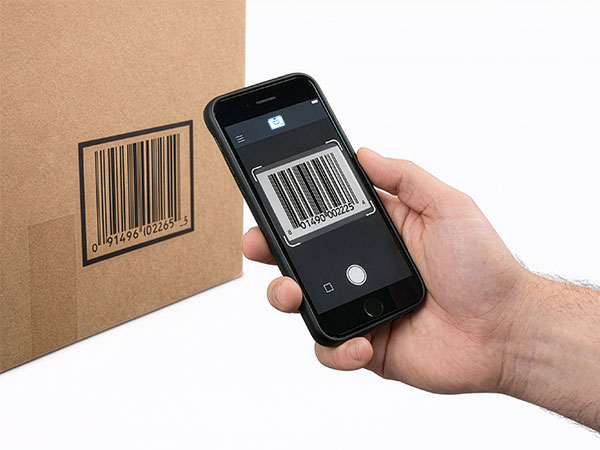
QR code inventory tracking gives every item, tool, and shelf a scannable identity. Generate a QR label from any StockZip record, print it, and scan it with a phone camera to look up the item, record a movement, or check something out — no dedicated scanner required.
Scan with any phone · free for 100 items · works offline

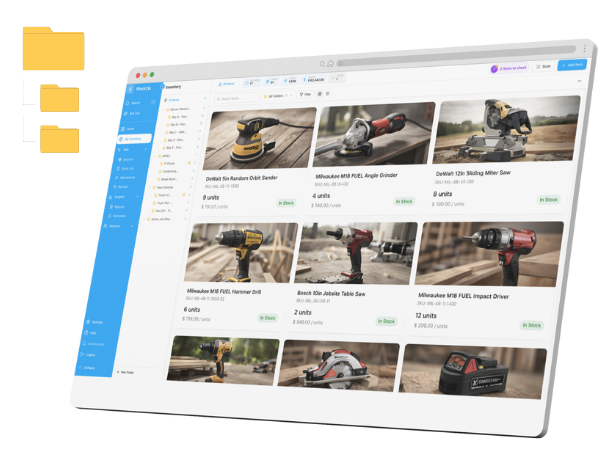
Scan a QR label with your phone and StockZip opens the item — quantity, location, and movement history in one place.
How it works
Generate a QR code (or barcode) label from any item record, or reuse the UPC/EAN codes items already carry. Add the item name, SKU, and your logo before printing.
Stick QR labels on inventory, tools, equipment, shelves, and bins. QR codes hold more data than barcodes and scan reliably at angles and on small surfaces.
Scan a QR code with a phone camera to open the record, then update quantity, location, or checkout status so movement history stays current — online or offline.
Everything you need in one place
Scan QR codes and 1D barcodes with any phone camera. A 3-layer engine — BarcodeDetector API, ZBar-WASM, and jsQR fallback — reads codes reliably across devices.
Generate and print QR labels for any item on the Starter plan and up, to a thermal or laser printer — no extra label software or subscription beyond your plan.
Put a QR code on every shelf, bin, or van compartment and scan it to see what is stocked there and what is checked out.
Look up cached items, scan QR codes, and queue supported updates when the connection drops; changes sync automatically once you reconnect.
Automatic validation for UPC-A, EAN-13, ISBN, and more catches mis-scans before bad data enters your inventory.
Scan a tool or asset QR to check it out, transfer it, or look up its history — QR holds more data and scans at angles a barcode struggles with.
Frequently asked questions
Keep exploring
All features →Set up your inventory in an afternoon
Free for 100 items, no credit card, and your signup price is your renewal price.